Quick answer: AI visibility is whether AI assistants and Google’s AI features can find, understand, verify and recommend your client when a buyer asks who to hire. Nobody can buy or guarantee a mention. What you can do is make the client’s pricing, reputation, expertise, policies and proof easy to find and easy to check. For home services clients, that comes down to seven pages: a pricing page with an estimator, a best-of comparison, a review hub, a security and privacy page, author and team pages, an awards page and service-specific FAQ hubs.
The longer version of AI visibility for agencies: run an audit and save an AI baseline before you build anything, build the seven pages in a sensible order, label every claim so nothing on the page is invented, and retest against the baseline instead of reporting a single “AI ranking.” Google says its AI features need no special optimization beyond good SEO, and the other assistants don’t publish a recipe. So the work that holds up is the work that helps a real buyer make a decision.
I’m Josh Nelson, co-founder of Seven Figure Agency. Agency owners keep bringing me the same question their clients are asking them: “Does ChatGPT recommend us?” Most agencies answer with a new acronym and a dashboard. Neither one tells the client what to fix. This guide gives you a framework you can explain to an owner in one sentence and deliver on every account. It’s written for agency owners and delivery teams who need to get their home services clients found in AI search (plumbers, HVAC companies, roofers, remodelers, pool builders, whatever your niche is).
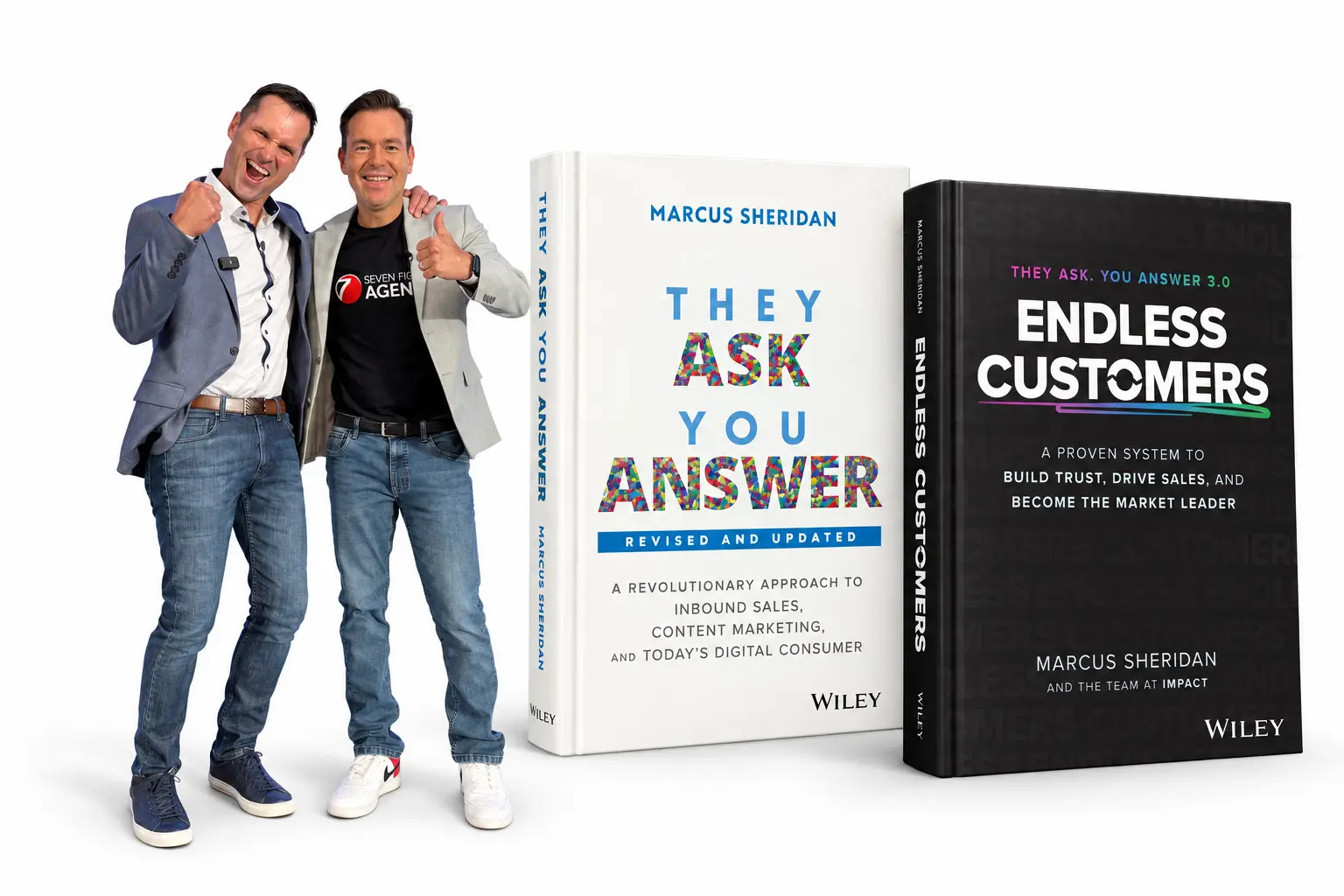
The seven pages come from Marcus Sheridan‘s session at a recent 7FA Intensive, “AI Visibility That Works for Home Improvement.” Marcus is the author of They Ask, You Answer and a co-founder of AI Trust Signals. What follows is our agency-side take on his framework, written for delivery teams. Marcus didn’t write or review this guide, and where we share his predictions, we label them as his views. Members get our full delivery SOP for installing all seven pages.
This is the third guide in the set. For the Map Pack side, read local SEO for agencies: how to get your clients ranked and how to get your clients ranked on Google Maps. Those guides cover the profile and the listing. This one covers the website pages that help an AI assistant (and a buyer) trust the business.
Free download: the AI Visibility Kit. The trust signal scorecard, AI baseline and retest tracker, claim-labeling table, a checklist for each of the seven pages, a structured data cheat sheet and the pre-publish QA checklist, in one document you can use on every account. Get the AI Visibility Kit
Want this running across your accounts? Skip to your next step to see how Launchpad (under $30K MRR) and Accelerate (consistently above $30K MRR) work and how to book a strategy call.
Contents
- What AI visibility means (and what it doesn’t)
- What Google and the AI platforms actually say
- Where the seven pages come from
- Step zero: audit and save a baseline before you build
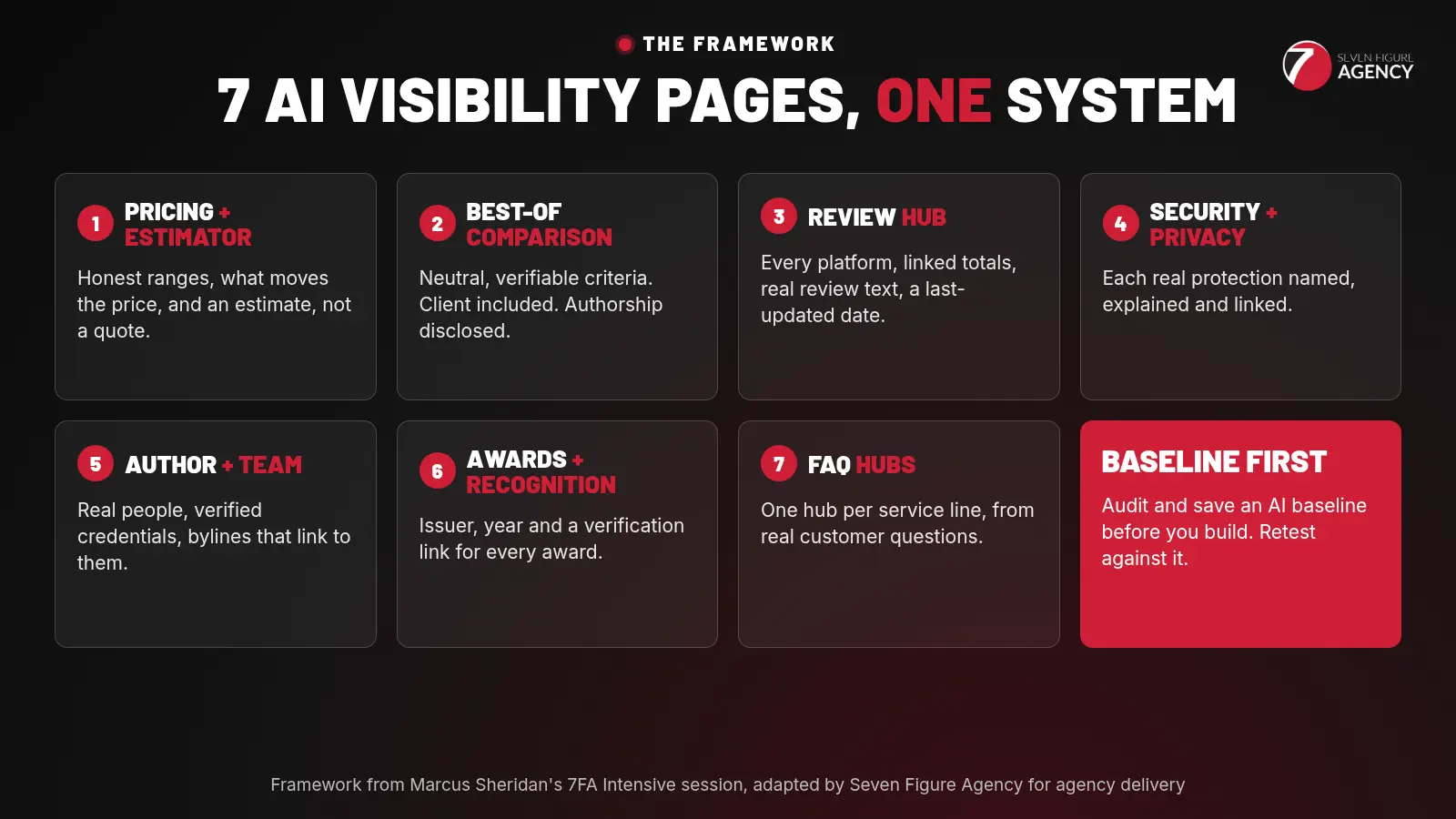
- The 7 AI visibility pages at a glance
- Page 1: The pricing page and estimator
- Page 2: The best-of comparison page
- Page 3: The review hub
- Page 4: The security and privacy page
- Page 5: Author and team pages
- Page 6: The awards and recognition page
- Page 7: Service-specific FAQ hubs
- The rules that keep every page trustworthy
- The order we’d build them in
- How to measure AI visibility without overpromising
- How to package AI visibility for your clients
- Common mistakes
- Frequently asked questions
- Your next step
What AI Visibility Means (and What It Doesn’t)
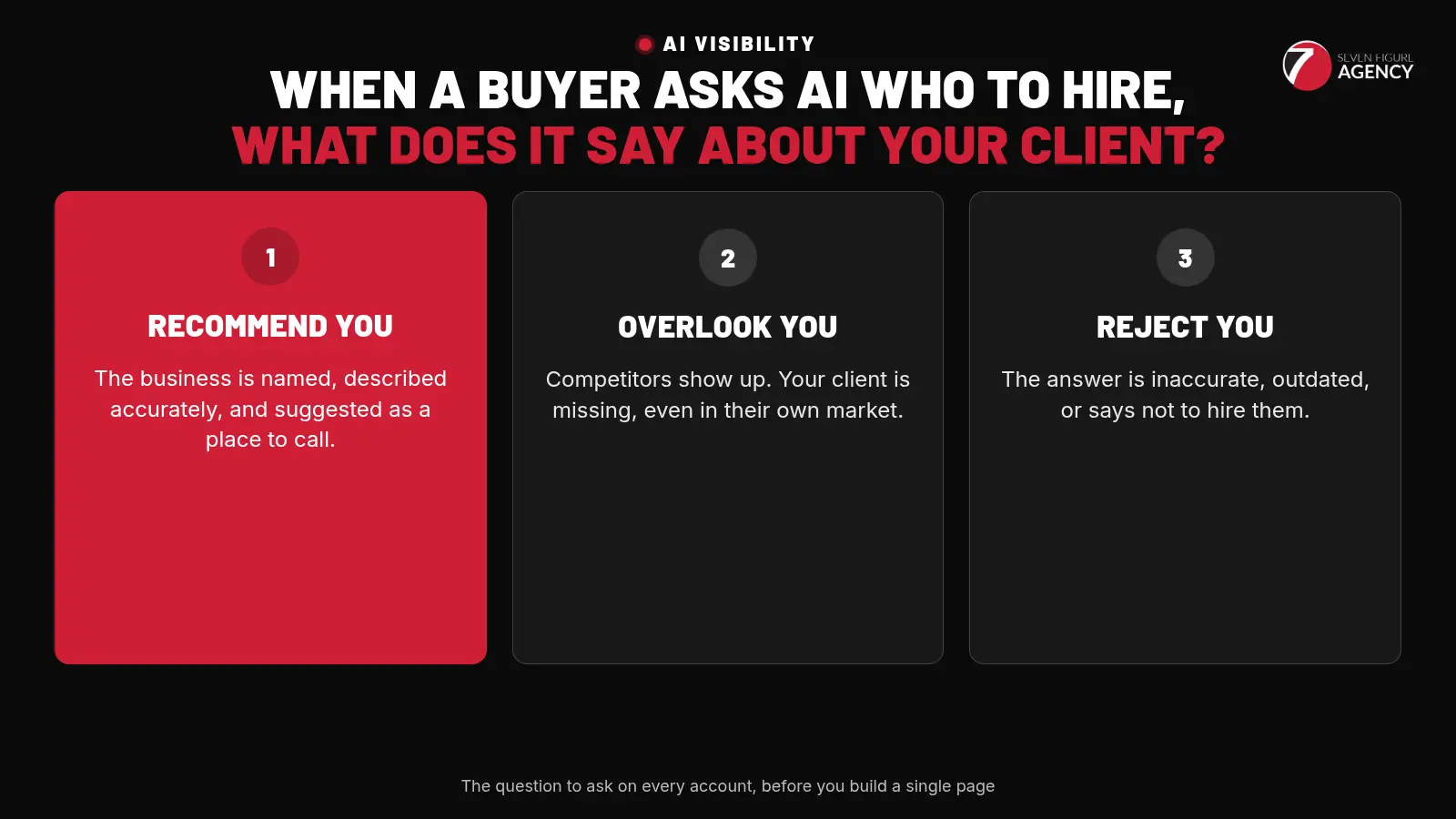
AI visibility is a plain-language name for a simple question. When a buyer asks an AI assistant or Google’s AI features who to hire, is your client in the answer, and is the answer about them accurate? Marcus frames it for business owners like this:
When a potential customer asks AI for the best company in your market, does it recommend you, overlook you, or reject you?
That question is why we tell members to sell the service as “AI visibility” and not lead with labels like AEO, GEO, LLM optimization or AI SEO. A plumber understands “does AI recommend you.” Most don’t know what GEO stands for, and they shouldn’t have to. The language makes the business consequence clear without promising a ranking or a guaranteed recommendation.
It also keeps you honest about what the work is. Google’s own guide to optimizing for generative AI features says that from Google Search’s perspective, optimizing for generative AI search is optimizing for the search experience, “and thus still SEO.” So AI visibility isn’t a separate trick sitting on top of SEO. It’s the part of the work that makes a business easy to verify.
Here’s what AI visibility is not:
- It’s not a way to trick an assistant. The goal is to make the client’s experience, expertise, pricing, reputation, policies and differentiators easier to find, understand, verify, cite, compare and recommend.
- It’s not one ranking. AI answers change by platform, wording, location, personalization and model version. You report patterns across a set of buyer questions, not a position.
- It’s not guaranteed. No agency controls what an assistant says. Anyone promising “we’ll get you recommended by ChatGPT” is promising something they can’t deliver.
- It’s not disposable content. The seven pages are permanent client assets that need an owner and a maintenance schedule, not blog posts you publish and forget.
What Google and the AI Platforms Actually Say
Before you build anything, anchor the client conversation in what the platforms publish. It keeps you away from hacks, and it gives you a defensible answer when a client forwards you an article about a “secret AI ranking factor.”
Google’s AI features. Google’s page on AI features and your website says the best practices for SEO remain relevant for AI Overviews and AI Mode, and that there are no additional requirements to appear in them, nor other special optimizations necessary. To be eligible as a supporting link, a page must be indexed and eligible to show in Google Search with a snippet. Google lists fundamentals like allowing crawling, internal links, a good page experience, keeping important content in text form, making sure structured data matches the visible text, and keeping Business Profile information up to date.
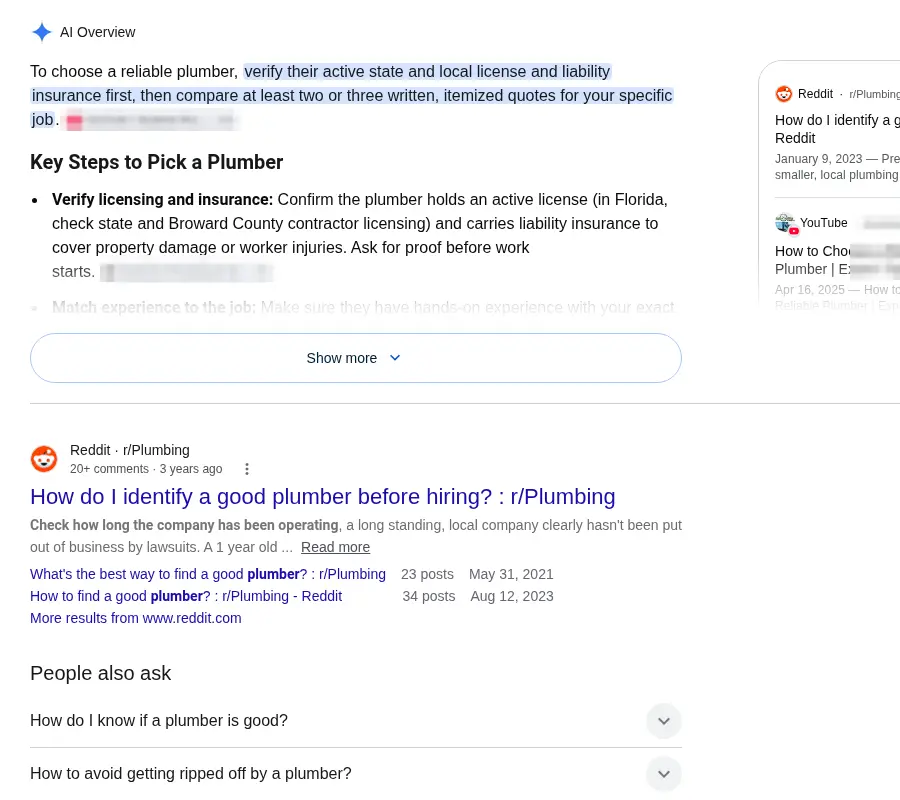
Google’s generative AI optimization guide. The guide Google added recently goes further. It says creating unique, “non-commodity” content will likely influence a site’s presence in generative AI search more than anything else in the guide. It says you can ignore llms.txt files, “chunking” content, rewriting content just for AI and chasing inauthentic mentions, and that there’s no special schema.org markup to add. It warns that creating separate pages for every variation of how people might search, primarily to manipulate rankings or AI responses, violates Google’s scaled content abuse policy. It also notes that a site must be included in Search generative AI features in Search Console to be eligible, and points to a Generative AI performance report there.
How Google picks the links. Google’s page on attribution and factuality in Search generative AI features explains that responses are grounded in results from the Google Search index, that the model may run related searches (“query fan-out”), and that it cites pages that support the information in the response. That’s the practical reason the seven pages matter: a page that states a fact clearly, with a source, is easier to support an answer with than a page that hides it.
ChatGPT and Perplexity. Neither publishes a ranking recipe, but both publish crawler rules. OpenAI’s crawler documentation says OAI-SearchBot is used to surface websites in ChatGPT’s search features, that sites opted out of it won’t be shown in ChatGPT search answers, and that blocking GPTBot (used for training) is a separate setting. Perplexity’s crawler page says the same about PerplexityBot and Perplexity search results, and notes that firewalls may need to allow its bots. Check the client’s robots.txt and any firewall or CDN bot settings before you write a word.
| Source | What it says | What it means for the client’s site |
|---|---|---|
| Google: AI features and your website | No additional requirements beyond SEO best practices. Pages must be indexed and snippet-eligible. | Fix indexing, crawling and thin content first. There’s no shortcut page to build. |
| Google: optimizing for generative AI features | Non-commodity content matters most. Ignore llms.txt, chunking and inauthentic mentions. No special schema. | Build pages only the client could write: their prices, their reviews, their people, their customers’ questions. |
| Google: attribution and factuality | Responses are grounded in indexed pages and cite pages that support the answer. | State facts plainly, in text, with dates and sources, so a page can support an answer. |
| OpenAI crawlers | Sites opted out of OAI-SearchBot won’t be shown in ChatGPT search answers. | Allow OAI-SearchBot in robots.txt and in firewall rules if the client wants to appear. |
| Perplexity crawlers | PerplexityBot surfaces and links sites in Perplexity results. | Allow PerplexityBot, and check that a firewall isn’t blocking it. |
Notice what none of these sources say: none of them name a pricing page, a review hub or an awards page as a requirement. The seven pages aren’t platform rules. They’re a way to put the facts buyers ask about into plain, checkable text on the client’s own site, which is what the platforms do say they look for.
Where the Seven Pages Come From
Marcus built his career on a simple idea from They Ask, You Answer: answer every question a buyer could ask, honestly, on your own website. AI Trust Signals describes the “Big 5” topics from that book as cost, problems, comparisons, reviews and best in class. The seven pages are those questions turned into permanent assets for a home services company.
In his session, Marcus walked through 19 trust signals that AI Trust Signals scores, things like consistent name, address and phone, on-page pricing, public review score and volume, author and team pages, awards, policy transparency and authoritative outbound citations. (The full scorecard is in the kit.) Marcus reported approximately 8,000 company tests through AI Trust Signals and shared patterns observed through those tests. Treat those as his reported observations, not as rules published by ChatGPT, Google, Gemini or Claude.
He also made a forward-looking prediction worth passing on, with the label attached. Marcus believes pricing transparency and estimators will become increasingly important to AI recommendations, and that home improvement companies without strong pricing information could eventually be left out of them. That’s his view of where things are heading. It isn’t a confirmed policy from any platform, and you shouldn’t present it to a client as one.
Step Zero: Audit and Save a Baseline Before You Build
Don’t build a page until you know what’s already there. The audit tells you which trust signals the client has, which are missing, which claims can be verified, how the client compares with the competitors buyers actually see, and which of the seven pages to build first.
The audit
- Score the trust signals. Go through the client’s site and two or three competitors’ sites, signal by signal, and record the evidence you found (or didn’t). An AI tool can do the first pass, as long as you tell it to mark anything it can’t verify as unverified, and a person checks the result.
- Inventory the proof. List every review platform, award, certification, license, team member and published price range the client has. Note what’s current and what’s expired.
- Check access. Robots.txt, firewall bot settings, indexing in Search Console, and whether the important content is real text or locked in images, PDFs and widgets.
- Prioritize. Decide which pages to build first based on the biggest gaps and on what the client can actually approve. A pricing page means nothing if the owner won’t sign off on ranges.
The AI baseline
Before launch, run a set of test queries that match how real customers ask. For example:
- Best [service] company in [market]
- Top [trade] contractors in [market]
- Who should I hire for [project] in [market]?
- Is [company name] a reputable [trade] company?
- How much does [service] cost in [market]?
- What should I look for when hiring a [trade]?
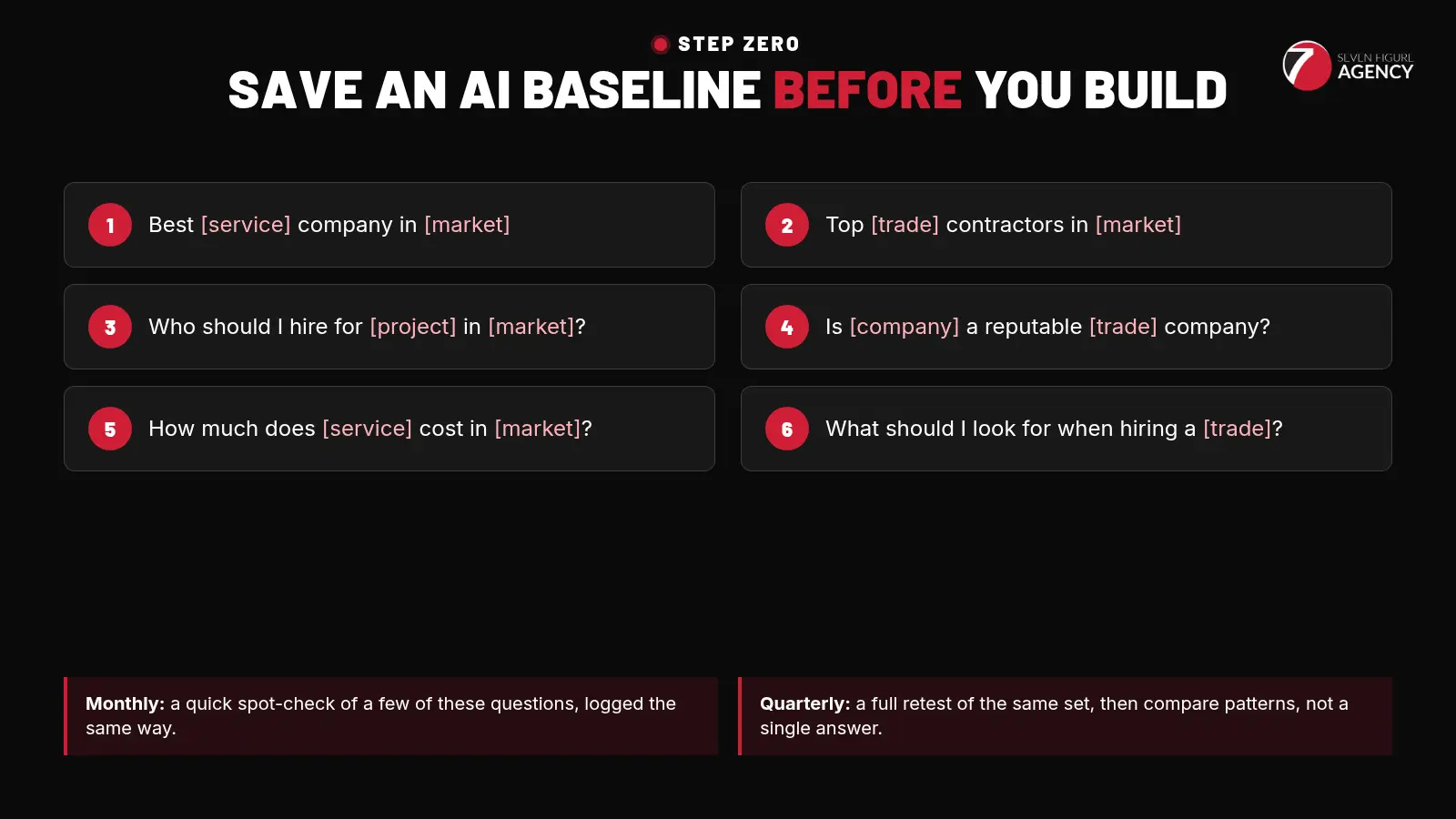
For each answer, record the platform, query, date, whether the client appeared, the position or context of the mention, the sources cited, the competitors mentioned, whether the answer about the client was accurate, and a screenshot. Use a clean testing environment that keeps personalization to a minimum, and don’t rely on one query, one platform or one test. Answers change from run to run, so the baseline is a set of patterns, not a score.
Want the baseline as a working sheet? The AI Visibility Kit includes the trust signal scorecard and a baseline and retest tracker with every column above. Get the AI Visibility Kit
The 7 AI Visibility Pages at a Glance
Each page answers a question buyers ask before they hire someone. Here’s the short version before we go page by page.
| Page | The buyer question it answers | What it’s for |
|---|---|---|
| 1. Pricing page and estimator | What will this cost me, and why do quotes vary so much? | Makes pricing, value, scope and cost variables understandable |
| 2. Best-of comparison | Who are the good companies here, and how do they compare? | Helps buyers compare legitimate providers on verifiable criteria |
| 3. Review hub | What do customers say about this company, everywhere? | Consolidates the client’s reputation across platforms and markets |
| 4. Security and privacy | Is my information and my payment safe with them? | Explains how the client protects customer information and transactions |
| 5. Author and team pages | Who’s behind this advice, and do they know what they’re doing? | Connects content to identifiable, qualified experts |
| 6. Awards and recognition | Has anyone independent vouched for them? | Makes third-party recognition easy to understand and verify |
| 7. Service-specific FAQ hubs | What else should I know before I hire someone for this job? | Answers the full set of questions buyers ask about each service |
Page 1: The Pricing Page and Estimator
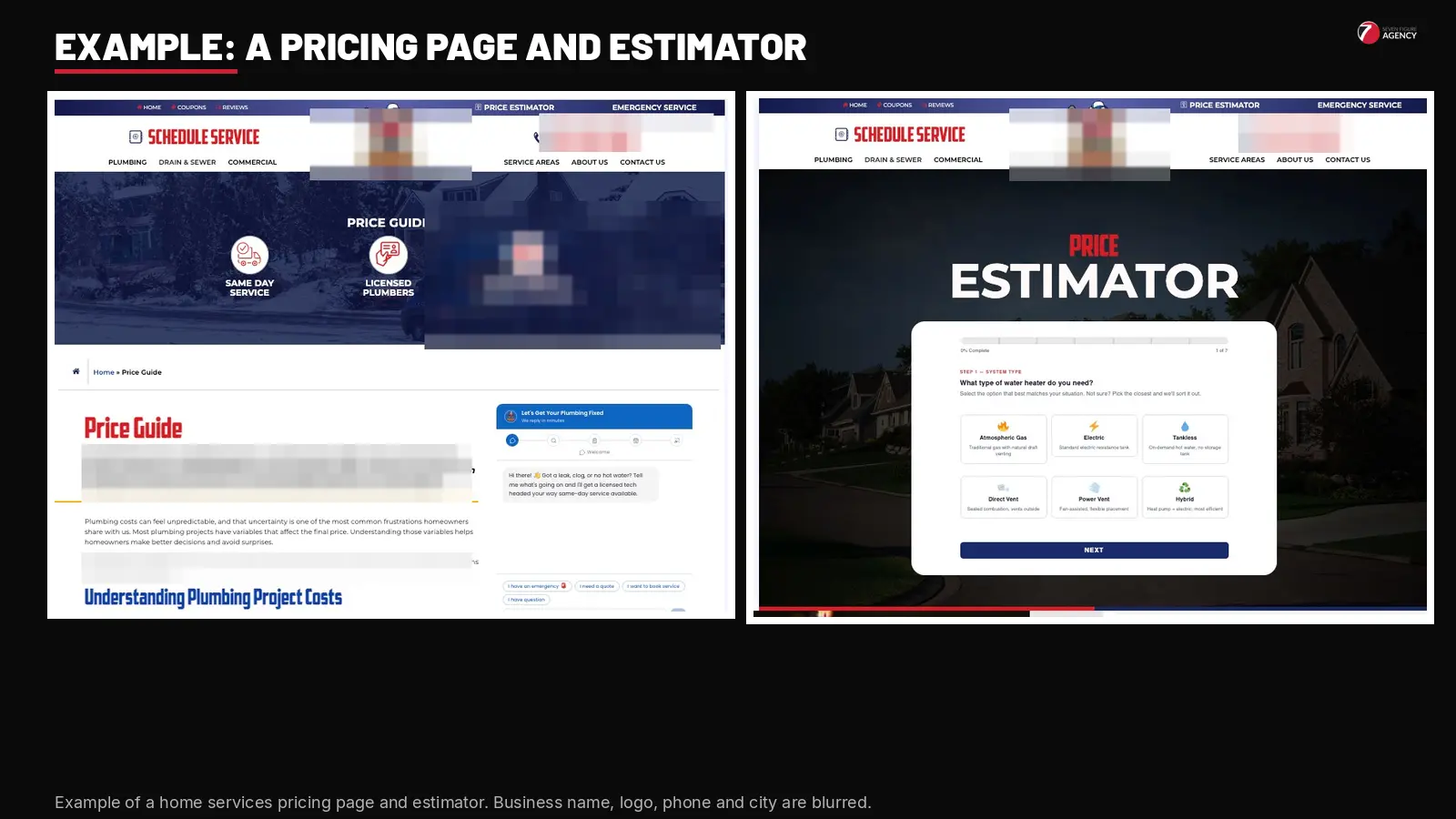
This is the page most home services owners resist, and the one Marcus pushes hardest. Its job is to help a homeowner understand what affects price, why providers’ prices vary, where this client generally falls, and what their own project might cost.
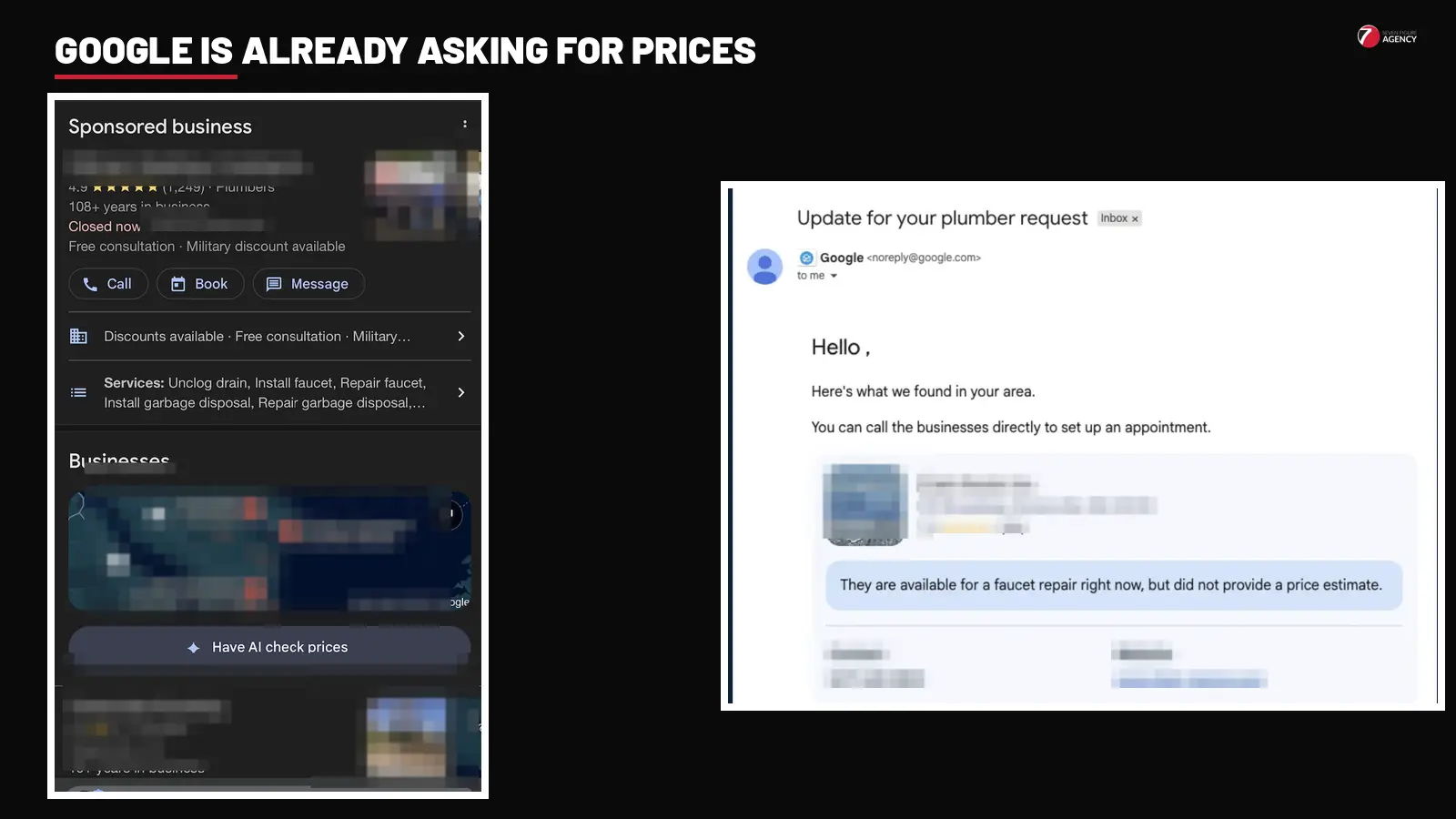
Marcus identified 16 elements for a strong pricing page. They fall into a few groups:
- What moves the price: the factors that drive it up and down, and what makes some companies expensive and others cheap.
- Where the client fits: where their prices generally fall, and how packages or tiers differ.
- The full cost picture: lifetime cost compared with the initial price, hidden or commonly overlooked costs, financing options and historical pricing trends.
- Proof and formats: visual examples with price ranges, charts, pricing videos and pricing FAQs.
- The honest close: an unbiased “Is it worth it?” discussion, plus a pricing estimator.
The standard that matters most is honesty. Use real ranges with stated assumptions, geographic context, scope definitions and the date the prices were last updated. Don’t make “Call for pricing” the main answer, hide big scope differences behind one average, or copy prices from another market. The estimator should be easy to find, work on mobile, explain what it includes and excludes, show real value before it asks for contact details, and say clearly that results are estimates, not quotes or contracts.
Where the numbers come from: interviews with the owner, the top salesperson or estimator, and operations. The best questions are things like “What causes two similar projects to have different prices?” and “What surprises customers after work begins?” Every published range needs the client’s explicit approval.
Page 2: The Best-Of Comparison Page
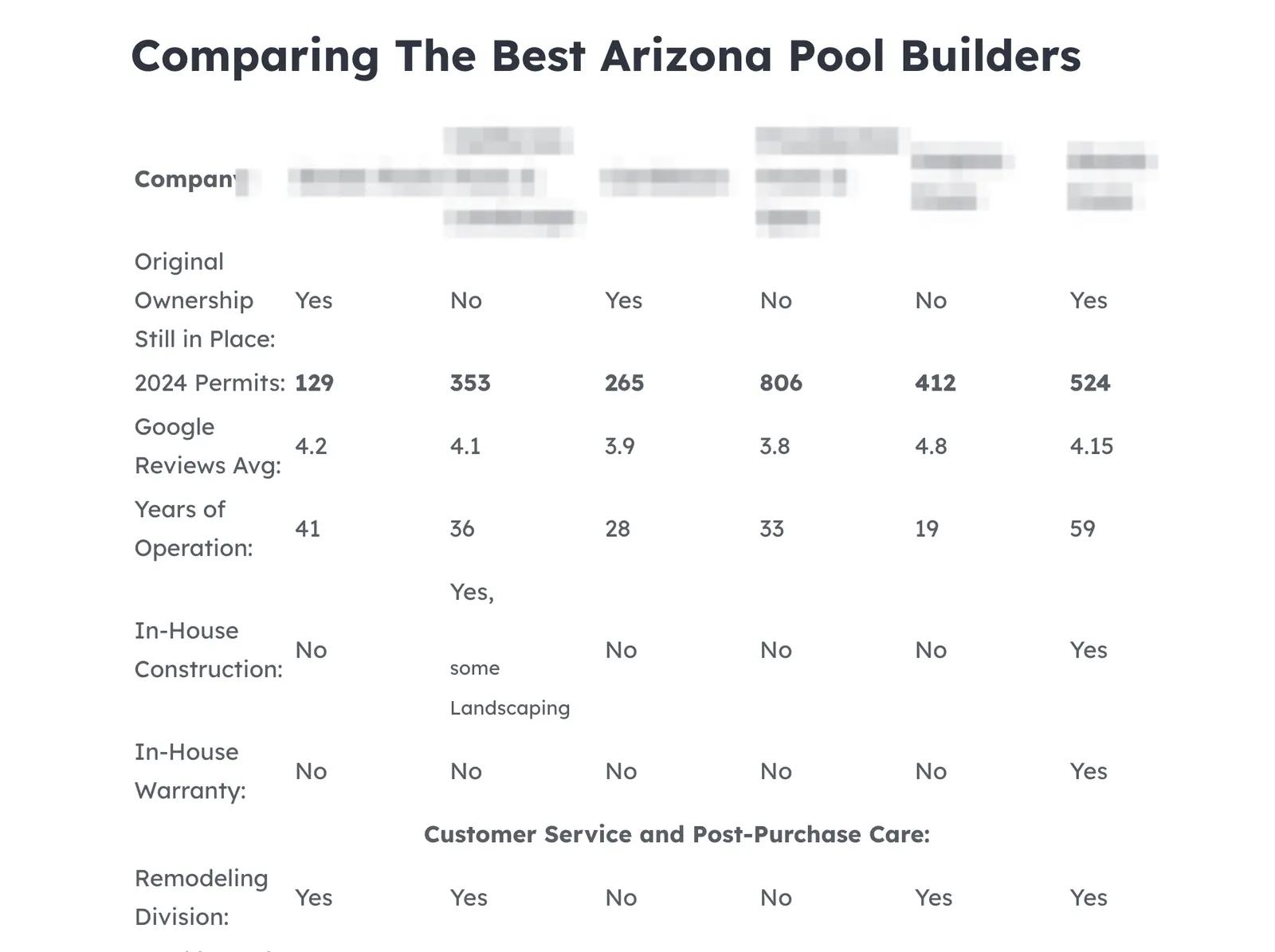
Buyers ask AI “who’s the best roofer in [city]?” constantly. The best-of page answers that question on the client’s own site, with a factual comparison of legitimate local providers, including the client. Marcus’s suggested title structure is “Top [Number] [Service Providers] in [Market]: Reviews, Ratings and Comparison for [Year].”
What makes it credible instead of self-serving:
- Disclose who published it. Say plainly that the client wrote the comparison, and include a named author and the publication and update dates.
- Explain how companies were chosen. Define the market and the service, and say how the list was built.
- Use criteria a buyer would really weigh. Years in business, licensing, insurance, in-house crews versus subcontractors, warranty, service area, published pricing, review volume and manufacturer certifications are all candidates. Each should be relevant, accurate, applied the same way to everyone, and publicly verifiable where possible.
- Build an accessible table. Criteria in the first column, companies across the top, real HTML text instead of an image, and links to sources for important facts.
- Never turn an unknown into a negative. If something can’t be confirmed, write “Not publicly stated.”
Be careful here. Don’t speculate about competitors, describe opinions as facts, imply endorsements or engineer criteria only to make the client look best. Naming other companies carries legal risk, so the client should approve the competitor names and criteria, and have counsel review the page when there’s any doubt.
Page 3: The Review Hub
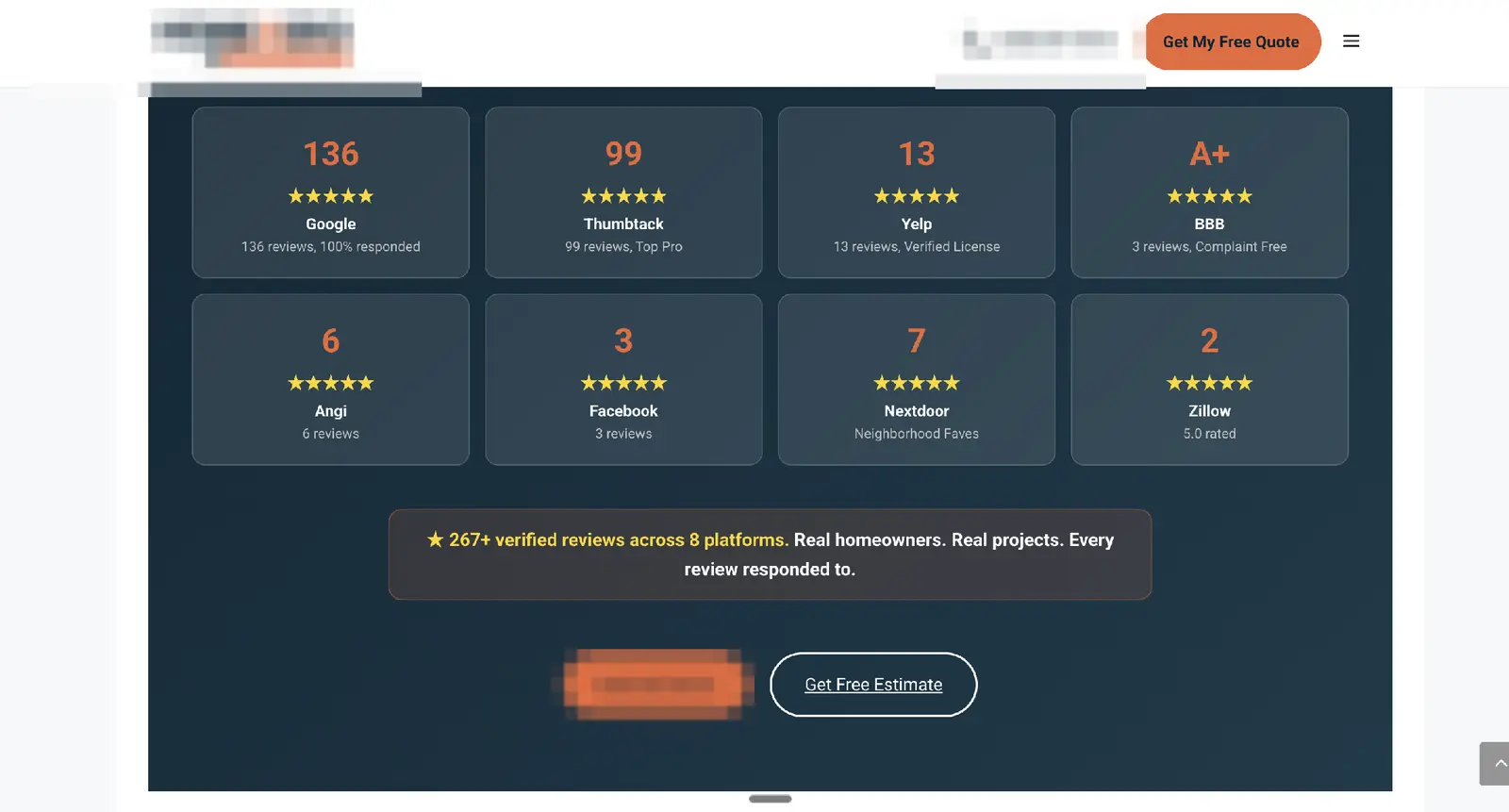
A review hub gives buyers (and AI systems reading the site) one page that summarizes the client’s reputation across every relevant platform. Think Google, BBB, Facebook, Yelp, Angi, Nextdoor, Houzz and the trade-specific directories, not just the one with the most reviews.
A strong hub shows the total reviews across platforms, the rating and count on each platform with links to the original profiles, how the totals were calculated, recent review activity, common customer themes, a neighborhood or market breakdown where it’s accurate, and the date it was last updated. Representative reviews should appear as readable text, where the client has the right to display them, attributed accurately and without changing the reviewer’s meaning.
Two rules keep it on solid ground:
- Don’t cherry-pick in a way that misleads. Don’t hide a legitimate platform because its volume is low or its rating is weaker. The FTC’s rule on consumer reviews and testimonials bans fake reviews and, in its review suppression section, misrepresenting displayed reviews as most or all of the reviews when negative ones are being suppressed.
- Don’t promise stars in search. Google’s review snippet guidelines limit local business and organization review markup to sites that capture reviews about other businesses (the self-serving reviews rule) and say not to aggregate reviews or ratings from other websites. The page is valuable as visible reputation content. Review stars from your own markup are not the goal.
Page 4: The Security and Privacy Page
Home services buyers let strangers into their homes and hand over payment details. This page explains, in plain language, how the client protects customers, payments, personal information and website interactions.
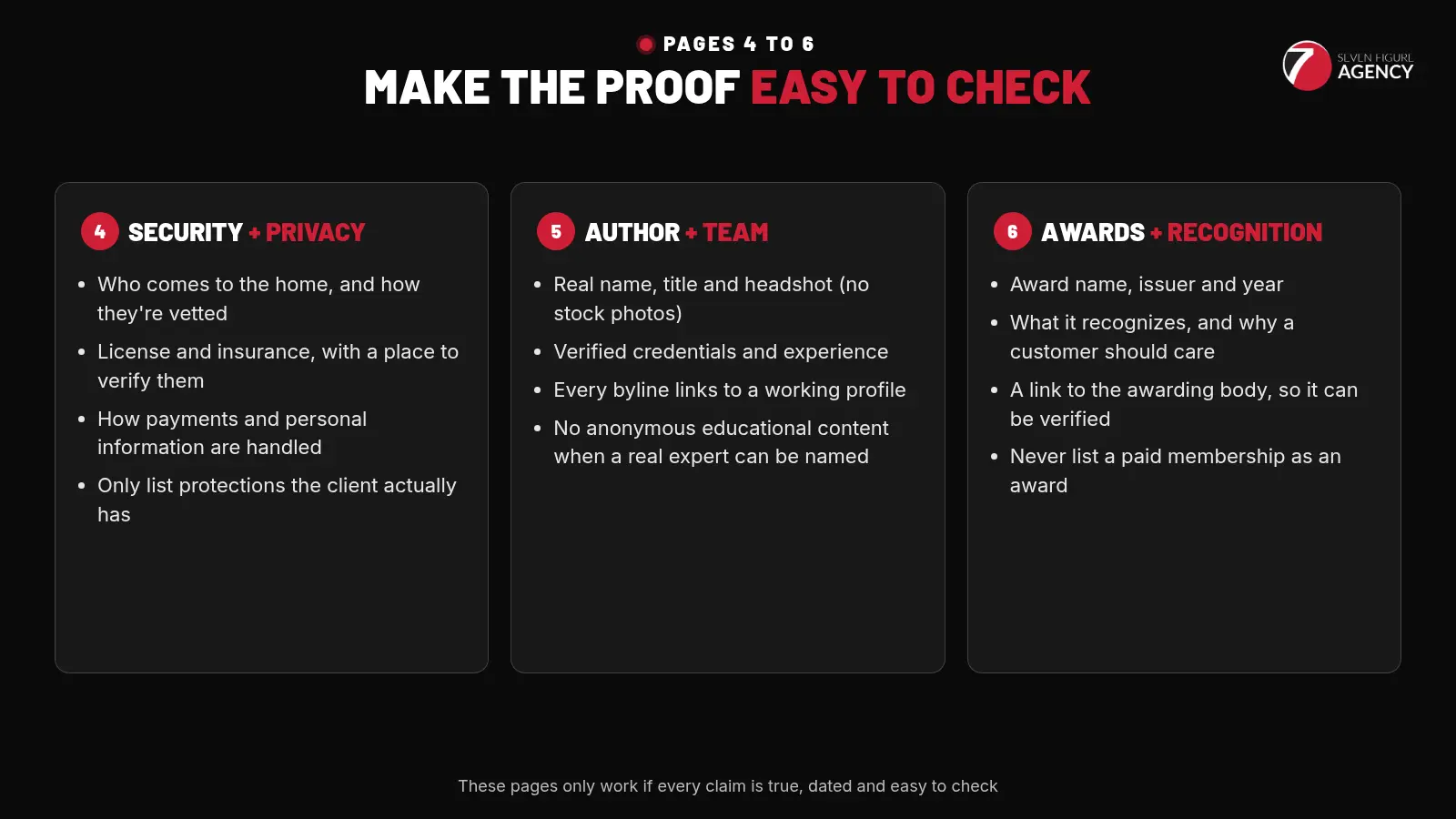
For every measure, name the tool, policy or protection, explain what it does, explain why it matters to the customer, and link to the issuing organization or the relevant policy. Topics can include HTTPS, payment processing, employee background checks, how customer information is stored and shared, form security, financing applications and photo permissions.
Two cautions. First, this page doesn’t replace the formal privacy policy or terms. Link to them. Second, only list protections the client really has. A vendor relationship isn’t a certification, and guessing at security practices is how a trust page becomes a liability. Get sign-off from the owner, whoever runs the website or IT, and legal counsel where needed.
Page 5: Author and Team Pages
The standing rule here is simple: no educational content goes out anonymously when a qualified person can be named, and every byline links to a working profile. Google’s guidance on creating helpful, reliable, people-first content asks the same “Who” questions: is it clear who wrote the content, do pages carry a byline where one is expected, and do bylines lead to more information about the author?
Marcus listed 13 elements for an author page, including name and title, a real headshot, short and full bios, areas of expertise, credentials and certifications, an experience timeline, featured articles and videos, professional links and the person’s contributions to the brand. The interview behind it asks things like how long they’ve worked in the field, which projects they specialize in, and what homeowners most often misunderstand.
Verify every title, credential, license and year of experience. Google’s same guidance warns that fabricating creator profiles, such as made-up names, AI-generated headshots or false credentials, is a form of deception. Stock photos, two-sentence bios, fictional authors and byline links that lead to a 404 all undercut the point of the page.
Page 6: The Awards and Recognition Page
A wall of logos tells a buyer almost nothing. This page makes each award or certification understandable and independently verifiable. For each one, include the award name, the issuing organization, the year, the category or region, what it recognizes, why it matters to a customer, a link to the awarding body and a link to the winner announcement or directory listing when there is one.
Include the full range that applies: industry and local awards, chamber recognition, BBB accreditation and ratings, manufacturer certifications, dealer designations, trade certifications, safety recognition and community awards. For the strongest award, a dedicated page can explain the selection criteria, the judging body and what the client did to earn it.
Never describe a paid membership as an award, list an expired certification as current, or make an award sound more selective than it is. Reconfirm everything at least once a year.
Page 7: Service-Specific FAQ Hubs
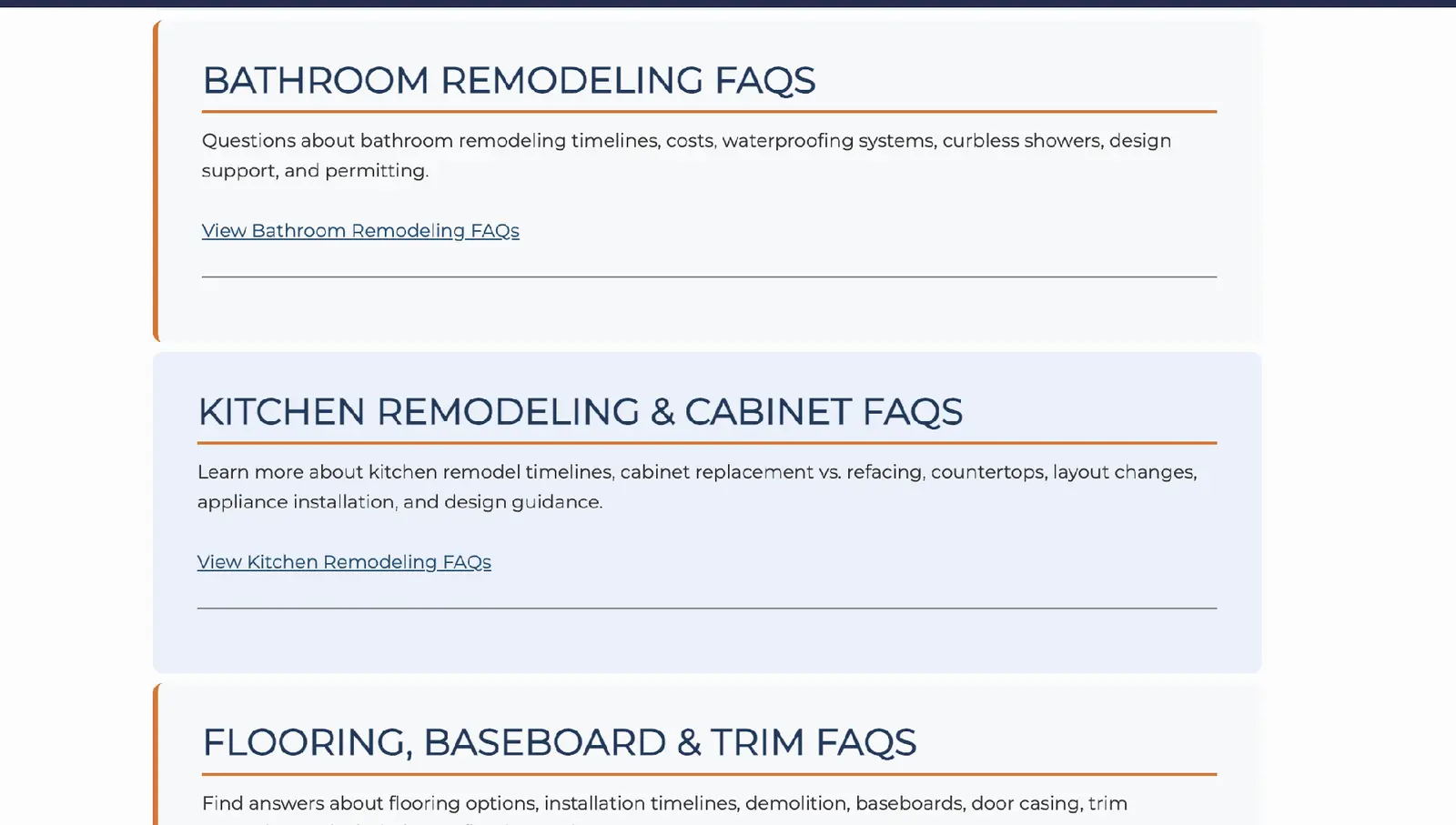
Marcus calls this one “the mother of all FAQs,” and the key word is service-specific. Build a separate FAQ hub for each major service line, like roof replacement, roof repair, HVAC replacement and HVAC repair, instead of forcing everything into one giant generic page.
The questions should come from real customers, not marketers. Mine sales calls, customer service calls, website chats, emails, texts, estimate appointments, technicians and review content, plus search query data. Keep the customer’s wording. Then answer each one in the same format:
- The question, phrased the way a customer asks it.
- A direct answer in one to three sentences.
- The explanation: details, examples, variables, exceptions and next steps, including local permits, codes, climate, HOAs, timelines, pricing, warranties and when the service isn’t the right choice.
Link answers to the pricing page, the estimator, service pages, case studies and the review hub. Two notes from Google: FAQ rich results stopped appearing in Google Search, according to Google’s documentation updates, so build these hubs for buyers and for clear answers, not for a search feature. And Google’s generative AI guide warns against spinning up separate pages for every variation of a question just to manipulate results. One good hub per real service line beats a hundred thin pages.
Get all seven checklists in one place. The AI Visibility Kit has a build checklist for every page, the claim-labeling table and a structured data cheat sheet. Download the AI Visibility Kit
The Rules That Keep Every Page Trustworthy
These pages only work if they’re true. An AI assistant that repeats a made-up award or an invented price is a worse outcome for the client than being left out. These are the rules we hold every page to.
1. Label every claim before it goes on a page
Every material fact gets a label in the research file, so no one quietly turns an assumption into a fact.
| Label | What it means |
|---|---|
| Client-provided | Directly stated by the client or in materials the client supplied |
| Publicly verified | Confirmed through public websites, directories or records |
| Third-party sourced | From reviews, awards, certifications or outside publications |
| Agency analysis | Derived from your own research or competitive analysis |
| Estimate or range | An approximation based on the information available |
| Opinion | A subjective assessment |
| Unverified | Can’t be confirmed from available sources, so it stays off the page until it can |
Never fabricate credentials, prices, awards, certifications, reviews, statistics, permit totals, response times, warranties or competitive claims. If a claim can’t be sourced, remove it or rewrite it accurately.
2. Build for people first, machines second
Each page should be useful to a homeowner who never touches an AI tool. Use descriptive headings, direct answers, real HTML text, accessible tables, named sources, visible publication and update dates, identifiable authors and internal links. Don’t put important pricing or comparison information only inside images, PDFs, videos, accordions that can’t be crawled, or third-party widgets. That matches Google’s own advice to keep important content in text form.
3. Structured markup describes the page. It doesn’t create signals.
There’s no universal “AI visibility schema,” and there’s no standard CostEstimator schema type. Google says there’s no special schema.org markup needed for its AI features and that structured markup should match the visible text. Depending on the page, LocalBusiness, Organization, Person, ProfilePage, Article, Service, Offer, ItemList, VideoObject or BreadcrumbList may fit. Your technical lead picks the right types, and passing a validator doesn’t guarantee rankings, rich results, citations or AI recommendations.
4. Every page has an owner and a review date
Prices change, reviews pile up, awards expire and people leave. A page with stale numbers is a trust problem. Assign a maintenance owner and a next review date for every page before you call it done.
The Order We’d Build Them In
This sequence is our delivery recommendation for a first 90 days, not a required order from Marcus. It front-loads research, puts the highest-impact transparency assets next, and saves the best-of page for last, because it depends on everything else being accurate.
| Phase | Roughly when | What gets done |
|---|---|---|
| 1. Research and foundation | First 10 days | Audit, AI baseline, competitor research, review and award inventory, stakeholder interviews, author list, FAQ question inventory |
| 2. Transparency assets | Through day 30 | Pricing page, estimator, pricing FAQs, technical QA |
| 3. Reputation and verification | Through day 50 | Review hub, awards and recognition page, security and privacy page |
| 4. Expertise and education | Through day 70 | Author pages, team pages, service-specific FAQ hubs |
| 5. Comparison and measurement | Through day 90 | Best-of comparison page, rerun the baseline queries, document changes, plan the next gaps |
The timing depends on how fast the client approves prices, competitor names and bios. Approvals, not writing, are usually the bottleneck, so book them on the client’s calendar in phase 1.
How to Measure AI Visibility Without Overpromising
Don’t report AI visibility as a single permanent ranking. AI responses vary by platform, query, personalization, location, model version and the sources available that day. The goal you report on is whether the client is more likely to be found, understood, verified, cited and recommended across a meaningful set of buyer questions.
What to track:
- In AI answers: client mentions, the sources the platforms cite, whether the description of the client is accurate, and appearances in best-of style answers. Do a quick monthly spot-check of a few of those questions, then a full quarterly retest of the same baseline queries, run the same way, and compare patterns.
- In Google Search Console: Google says sites appearing in AI Overviews and AI Mode are counted in the overall search traffic in the Performance report, and its generative AI guide points to a Generative AI performance report. Watch organic entrances to the seven pages.
- On the site: estimator starts and completions, leads from the pages, qualified lead rate and assisted conversions.
- In the business: whether the sales team uses the pages (sending the pricing page before an appointment is a great sign) and how many new customer questions you’ve answered.
Google’s generative AI guide also says to be wary of third-party tools that promise ranking success or claim to use internal Google metrics, since no third-party tool has access to Google’s internal ranking or AI systems. Use tracking tools if they help your workflow, but report what you can show, with dates and screenshots.
For the monthly client report, keep it to three lines: what you shipped, what the retest showed compared with the baseline, and what’s next. If nothing moved yet, say so. That honesty is what keeps a client through the slow months.
Track the retest the same way every time. The AI Visibility Kit’s baseline and retest tracker keeps the queries, platforms and columns identical, so monthly spot-checks and quarterly retests stay comparable. Get the AI Visibility Kit
How to Package AI Visibility for Your Clients
Once you can deliver this on one account, you can offer it on every account. A few things make it easier to sell and easier to keep:
- Sell it in the client’s language. Lead with “when a customer asks AI who to hire, are you in the answer?” Show them their own baseline. That screenshot sells better than any acronym.
- Scope it as an installation plus maintenance. The installation is the audit, the baseline and the seven pages (with one FAQ hub per major service line). The maintenance is monthly checks on the estimator and forms plus a quick AI spot-check, a full quarterly retest and review refresh, and an annual rebuild of competitor research and awards.
- Write the approvals into the proposal. The client approves price ranges, estimator assumptions, competitor names and criteria, review totals and quotes, security claims, bios and awards. Make it clear the timeline depends on those approvals.
- Put the non-promises in writing. No guaranteed AI recommendations, no guaranteed rich results, no single AI ranking. Saying it up front protects the relationship later.
- Define done. The installation is done when the audit is complete, the seven pages are live and accurate, QA has passed, the baseline has been retested and a maintenance owner is assigned. Seven published URLs alone isn’t done.
Pricing depends on your niche, market and scope. The main drivers are the number of service lines (each gets its own FAQ hub), whether you build the estimator, how much interviewing and research the client needs, and the maintenance cadence. For how we think about packaging local services overall, see the packaging section of our local SEO for agencies guide.
Common Mistakes
- Promising AI recommendations. No one controls what an assistant says. Sell the work and the measurement, not the outcome.
- Skipping the baseline. Without a dated “before,” you can’t show the client anything changed.
- Chasing hacks. Google says to ignore llms.txt, chunking and special AI markup for its Search features. Spend that time on pages only the client could write.
- Blocking the crawlers by accident. A robots.txt rule or a firewall bot setting can keep a site out of ChatGPT or Perplexity search results. Check before you build.
- “Call for pricing.” If the pricing page doesn’t give real ranges, it isn’t a pricing page.
- Inventing anything. Prices, awards, credentials, review totals, response times, warranties. If it can’t be sourced, it doesn’t go on the page.
- Trashing competitors. A best-of page that’s unfair to competitors is a legal risk and a trust problem. Stay factual and neutral, and use “Not publicly stated” for unknowns.
- Hiding the important stuff. Pricing in a PDF, comparisons in an image, reviews only in a widget. Put it in readable text.
- One giant FAQ page. Build one hub per real service line, from real customer questions.
- Treating markup as the strategy. Structured markup describes the page. The answer on the page is what matters.
- Publishing and forgetting. Stale prices and expired certifications undo the trust the pages were built to create.
Frequently Asked Questions
What is AI visibility?
AI visibility is whether AI assistants and AI search features can find, understand, verify and recommend a business when a buyer asks a question it should be the answer to. For agencies, it’s the work of making a client’s pricing, reputation, expertise and policies easy to find and easy to check, and then measuring whether the client shows up more often and more accurately.
Is AI visibility different from SEO?
Not as much as the acronyms suggest. Google’s generative AI guide says that from Google Search’s perspective, optimizing for generative AI search is still SEO. The difference is emphasis: the seven pages focus on the specific facts buyers ask about (cost, comparisons, reviews, people, proof) and on making those facts verifiable. Good SEO fundamentals are the foundation either way.
Can you guarantee a client gets recommended by ChatGPT?
No. No agency controls what an AI assistant says, and answers vary by platform, wording, location and model version. What you can promise is the work, an honest baseline and a retest that shows the direction of change.
Do my clients need an llms.txt file?
Not for Google. Google’s generative AI guide says Google Search doesn’t use llms.txt files and that having one neither helps nor harms visibility in Google Search, though it’s fine to keep one for other services that use it. It’s not where we’d spend a client’s budget.
Does schema markup help AI visibility?
Google says there’s no special schema.org markup needed for its AI features, and that structured markup should match the visible text on the page. It’s still a good practice for rich result eligibility. Use it to describe the page accurately, and don’t expect it to create signals the page doesn’t have.
Should home services companies publish their prices?
Marcus’s view is yes, and he believes pricing transparency and estimators will become more important to AI recommendations over time. That’s his prediction, not platform policy. Our view is that honest ranges, with assumptions, dates and a clear “this is an estimate” note, answer the question buyers ask most, whether they’re asking Google, an assistant or a salesperson. The client decides what to publish and approves every range.
Is it legal to name competitors on a best-of page?
We can’t give legal advice, and the answer can depend on what you say and where. Keep every claim factual, neutral and sourced, never speculate or disparage, disclose that the client published the page, and have the client’s counsel review it when there’s any doubt. Escalate any competitor complaint or removal request to the client and their counsel.
How long does AI visibility take?
Our recommended rollout installs the seven pages over roughly 90 days, depending mostly on how fast the client approves content. How quickly AI answers change after that varies by platform and market, and no one can promise a timeline. That’s why you retest against the baseline instead of guessing.
How do I check whether ChatGPT recommends my client?
Run a fixed set of buyer questions (like “best [service] company in [market]” and “how much does [service] cost in [market]”) on the assistants your client’s customers use, in a clean environment, and record who was mentioned, which sources were cited and whether the description was accurate. Do a quick monthly spot-check of a few of those questions, and a full retest of the same set each quarter. Look for patterns across runs, not single results.
Which of the seven pages should we build first?
Let the audit decide. If the client will approve price ranges, the pricing page usually has the biggest impact, which is why it’s first in our rollout. If pricing approval is slow, start with the review hub and author pages, which use proof the client already has.
Do FAQ pages still matter now that Google dropped FAQ rich results?
Yes, for the reason they always mattered: buyers have questions. Google’s documentation updates say the FAQ rich result stopped appearing in Google Search, so don’t build FAQ hubs for a search feature. Build them because a clear, direct answer to a real customer question is useful to the customer and easy for any system to understand.
Your Next Step: Get Every Client Found in AI Search on a System
Start with one move this week: run the six baseline questions for your best client on two or three AI assistants, and save the answers with screenshots and the date. That baseline is the start of the rollout, and it makes the next client conversation about AI a lot easier.
Then decide how you want to run the rest:
- Do it yourself. Run the audit, build the seven pages in order on one account, retest, then repeat on the next.
- Get help building the delivery system. Seven Figure Agency helps agency owners put the people, process and reporting behind getting their clients found and ranked. Pick the page that matches where your agency is.
- Under $30K MRR: Launchpad is for agency owners under $30K MRR who are building the fundamentals. Start there and book a strategy call.
- Consistently above $30K MRR: Accelerate is for niched agency owners consistently above $30K MRR who are building the team and systems to go past seven figures. Start there and book a strategy call.
You can book a strategy call from either page to see which fits.